
Enhancing Donorbox Form Editor with Live Preview
Role: Product Manager (2023)
Goal Overview
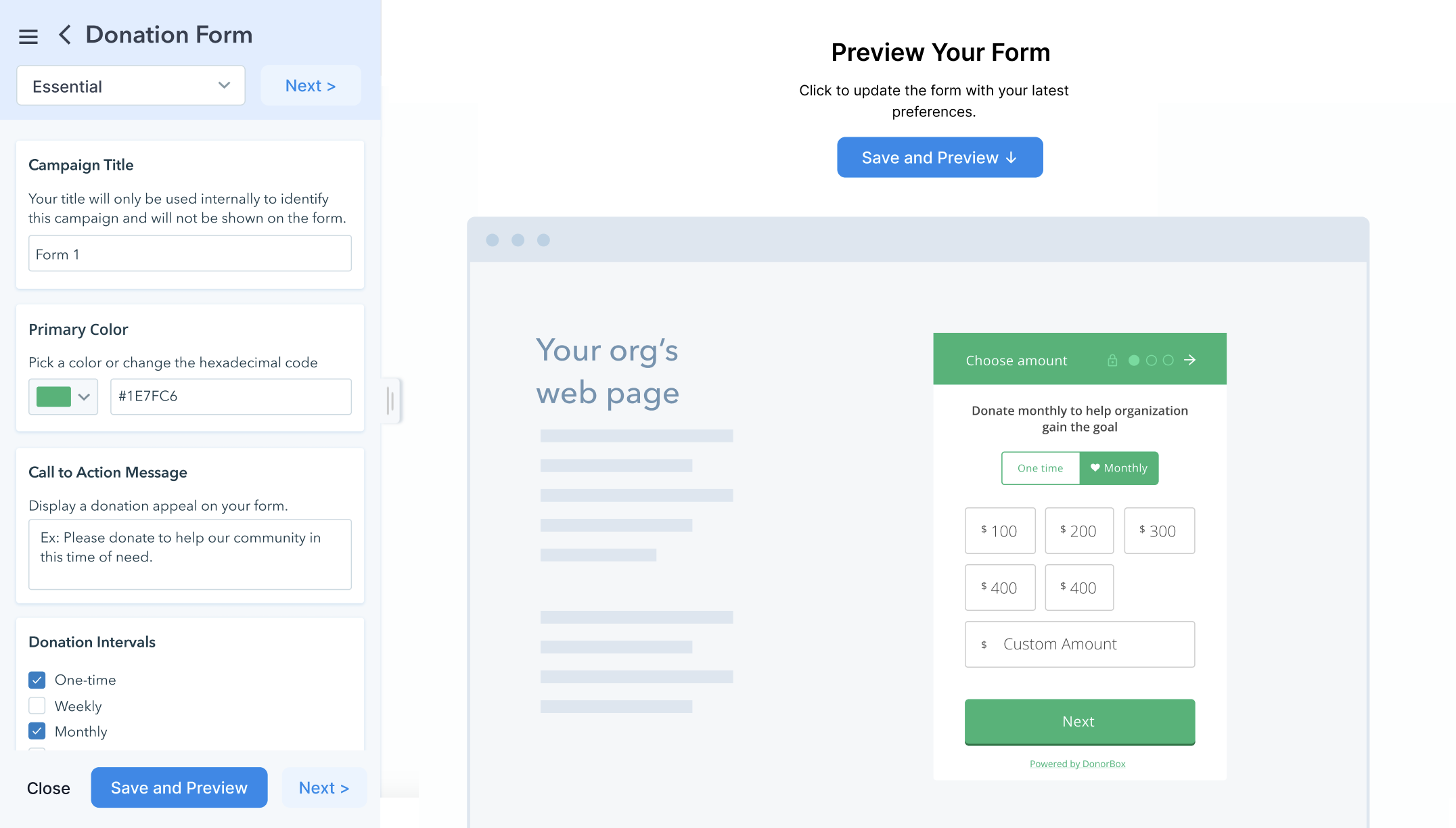
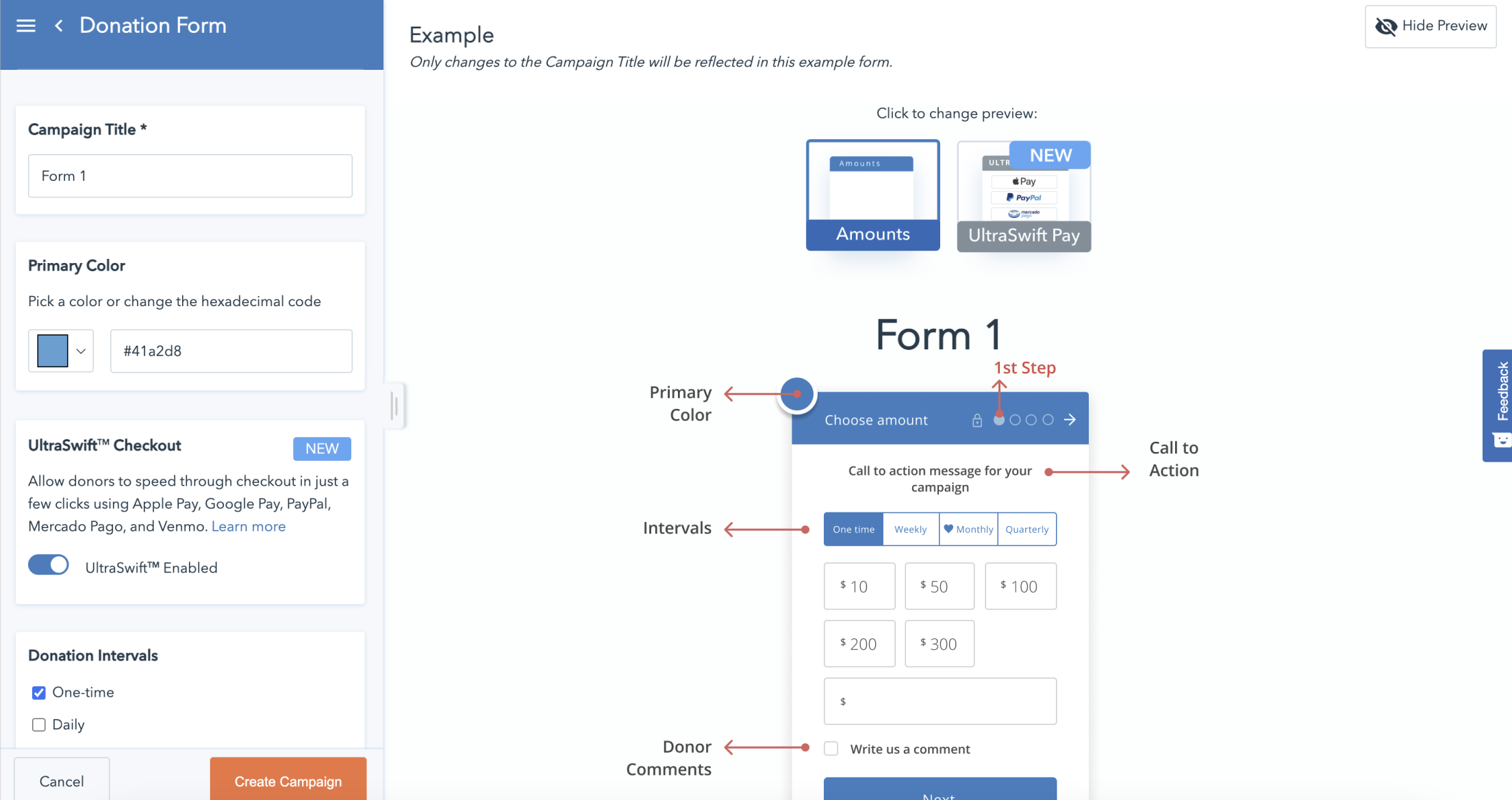
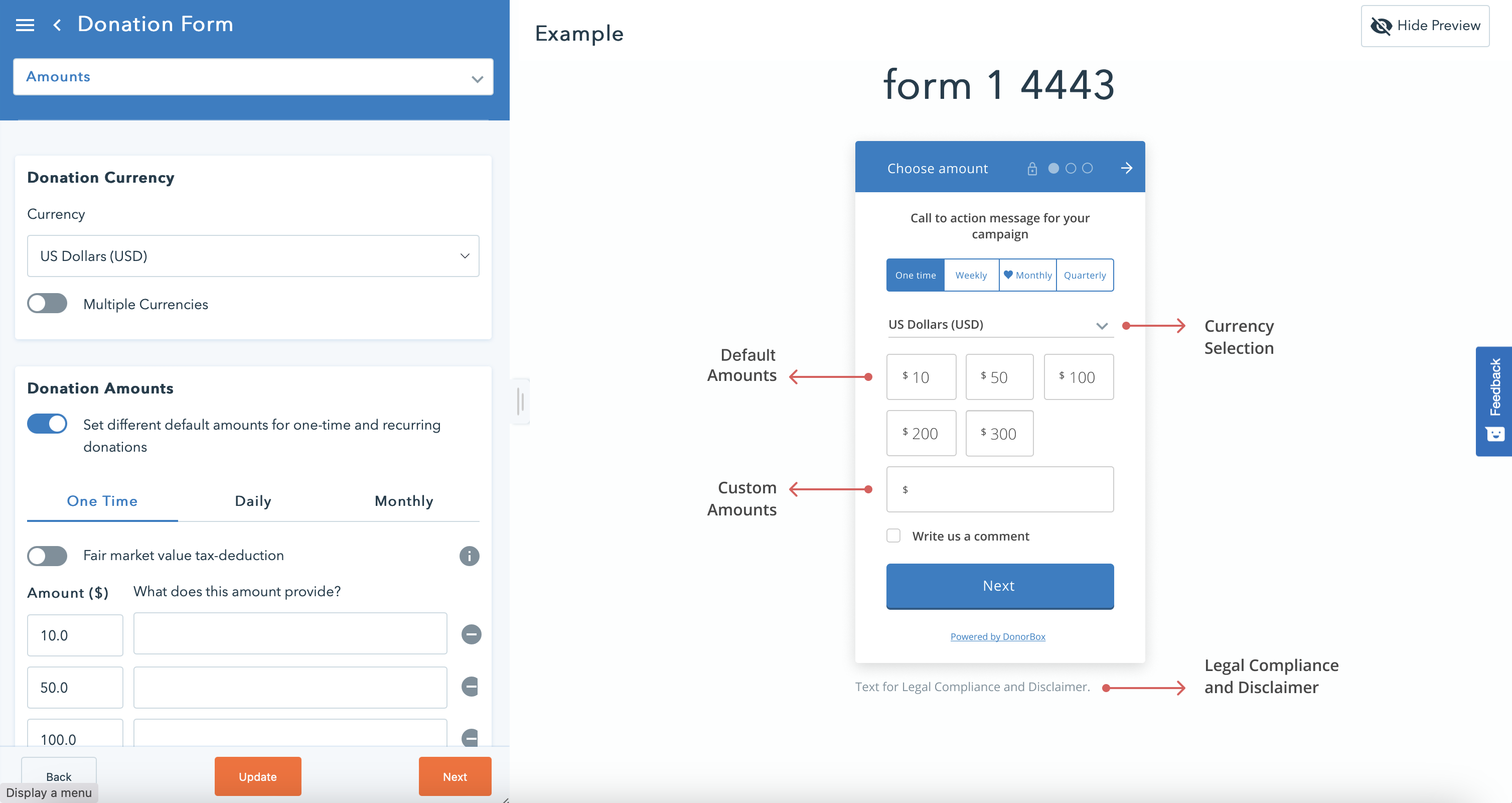
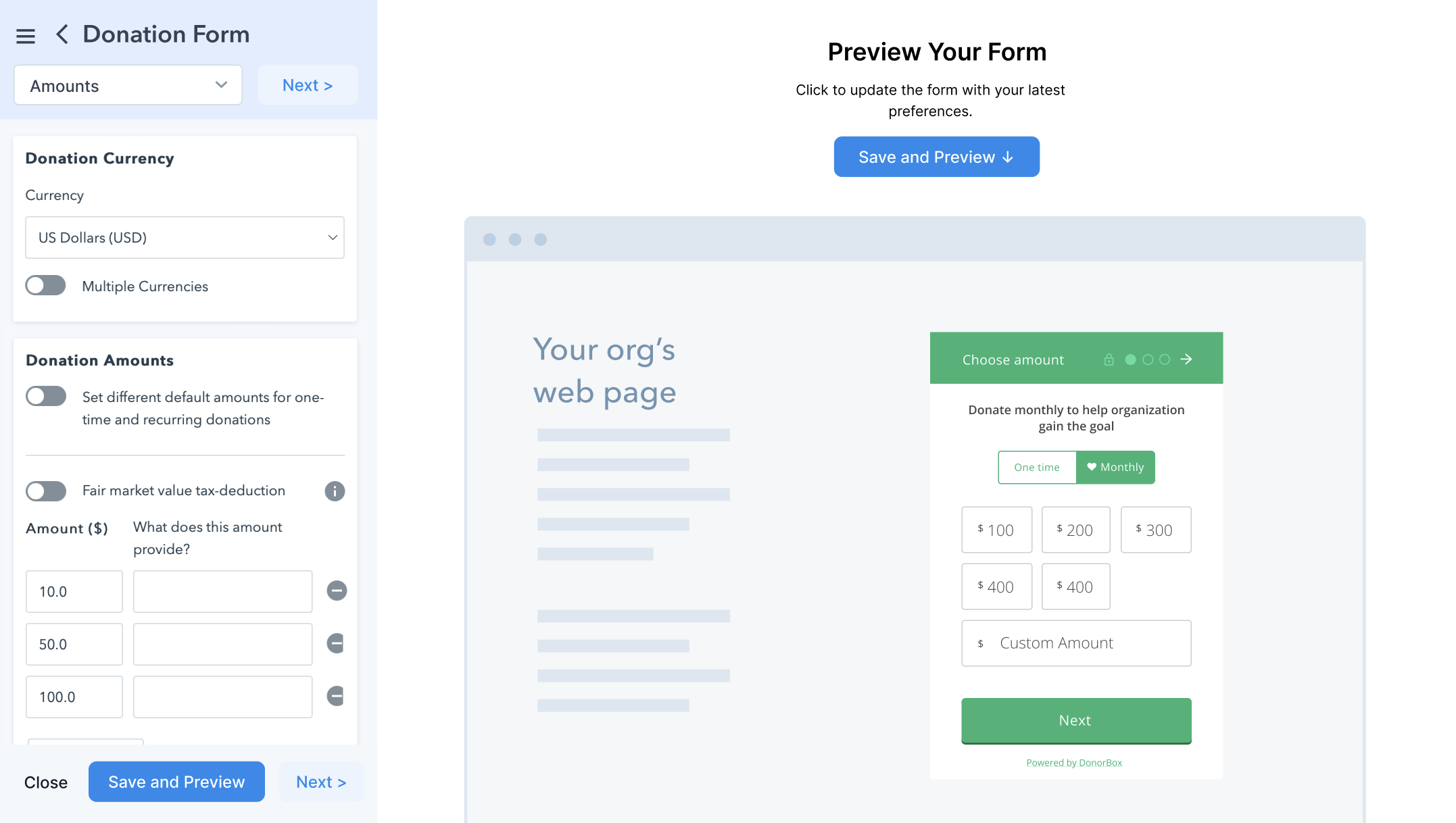
The objective of this project was to enhance an editor tool by integrating a real-time preview feature, allowing users to immediately see how their changes impacted the output. Previously, the editor only displayed static states, creating confusion for users and reducing efficiency. Our goal was to improve usability, user experience, and conversion rates by providing instant feedback during the creation process.
We also introduced incremental improvements to the interface and information architecture to make the tool more intuitive. For example, we improved the accessibility of key options and redesigned the onboarding flow so that users could immediately understand the full capabilities of the editor, avoiding misperceptions about limited functionality.
Challenge
Environment
The team worked across multiple time zones, requiring effective coordination between design, development, QA, and stakeholders to ensure steady progress. A project management tool was used to manage tasks, align priorities between teams, and track the overall timeline and deliverables.
Limitations
Due to limited development resources, the team focused on incremental improvements rather than a complete redesign. It was also important to avoid disrupting long-time users familiar with the current interface — while still enhancing the overall user experience through live feedback and usability improvements.
Product Management Process
1. Research & Discovery
User Feedback & Insights
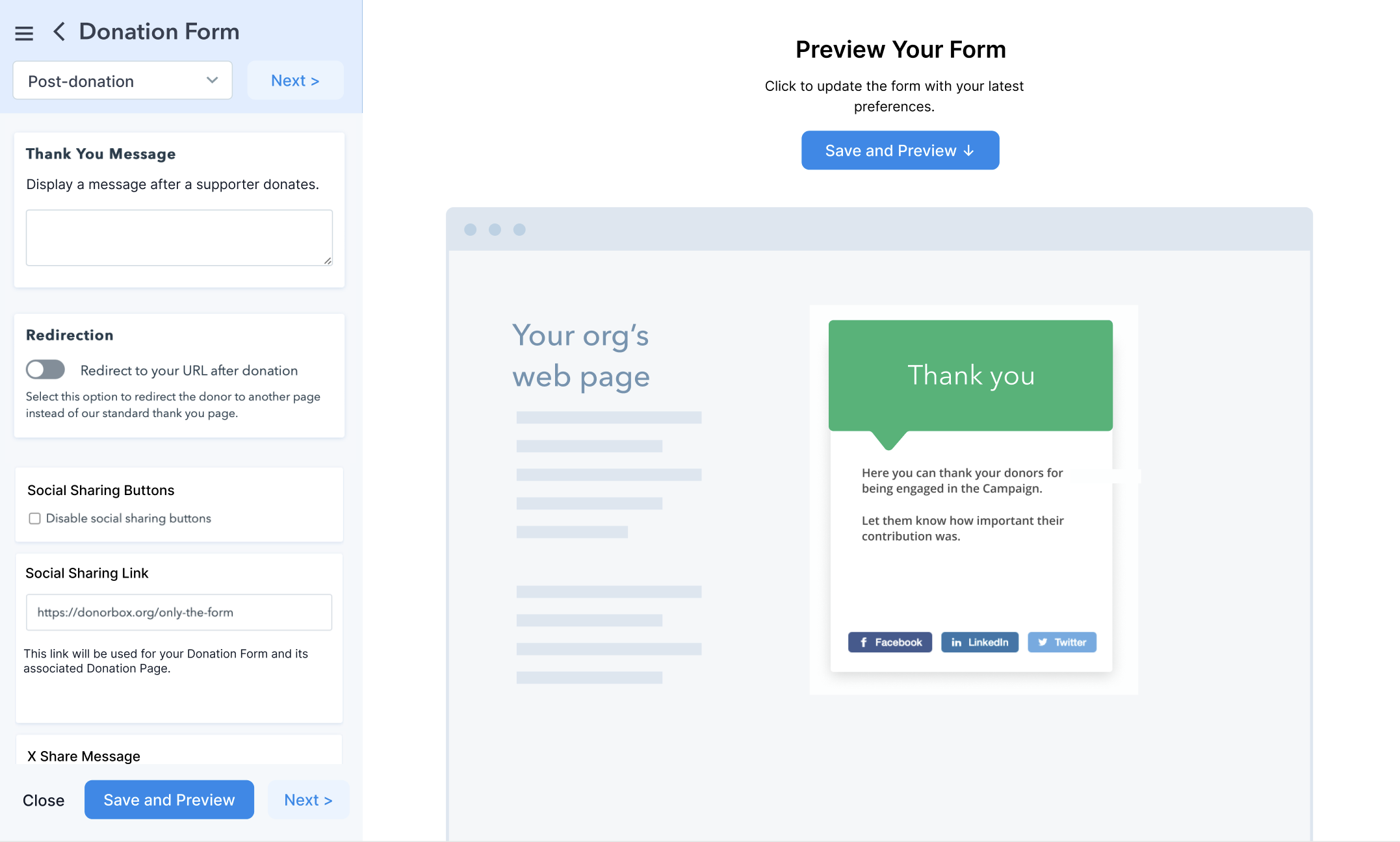
We gathered feedback through user interviews and behavioral data. Advanced users expressed frustrations with the lack of real-time feedback, which made adjustments difficult. Additionally, users requested a clearer way to add personalized messages at the end of their workflow.
Research Conducted
- User Research: Interviewed users to understand their challenges with the existing tool.
- Behavioral Analysis: Reviewed user interactions to track behavior and identify areas of confusion.
- Customer Surveys: Collected both quantitative and qualitative feedback through surveys.
- Competitor Analysis: Assessed similar platforms to identify best practices.
- Internal Team Feedback: Sought insights from internal teams (e.g., customer support and account management) to better understand operational pain points.
2. Product Development & Execution
Wireframes and User Flow Development
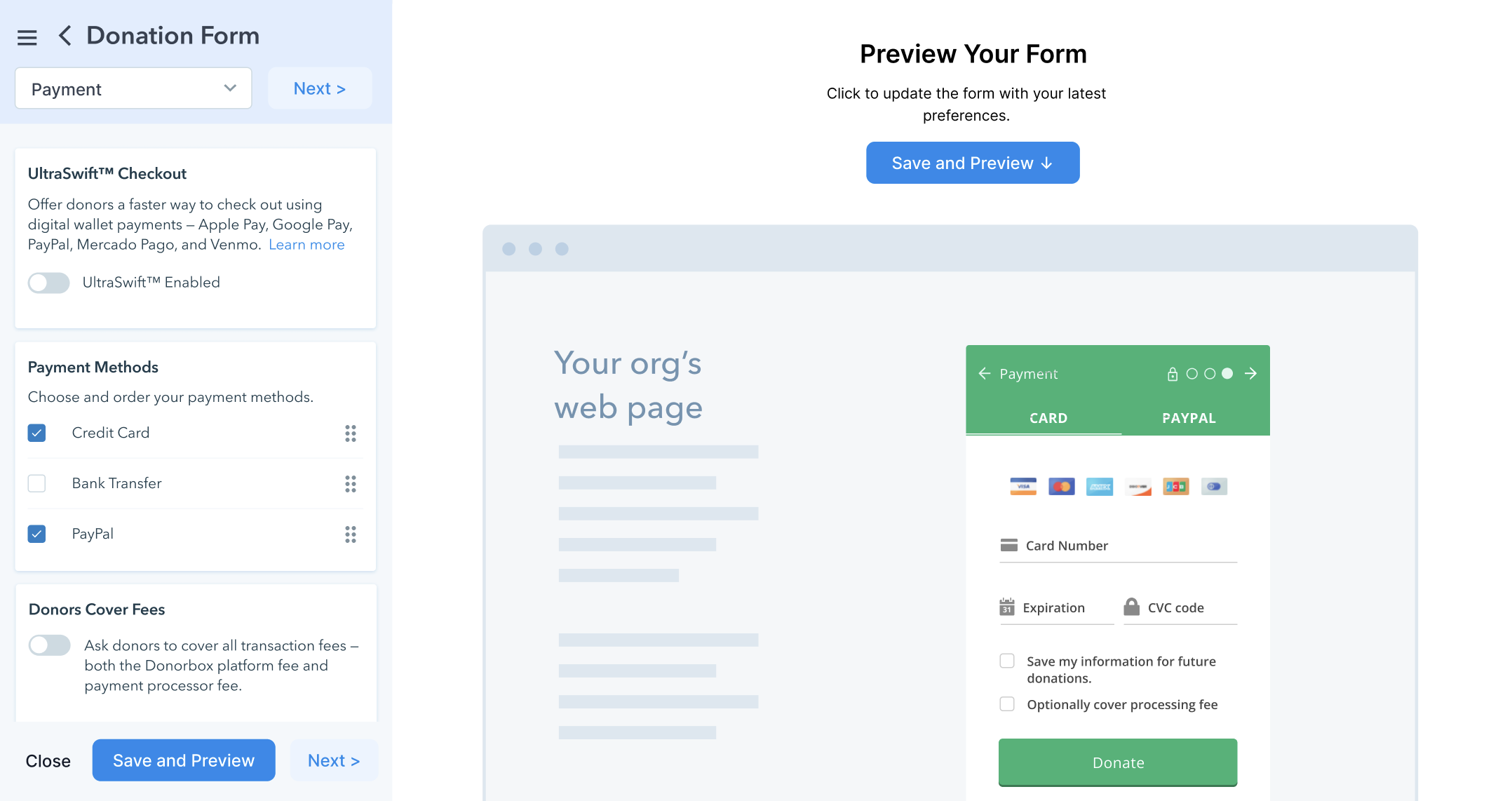
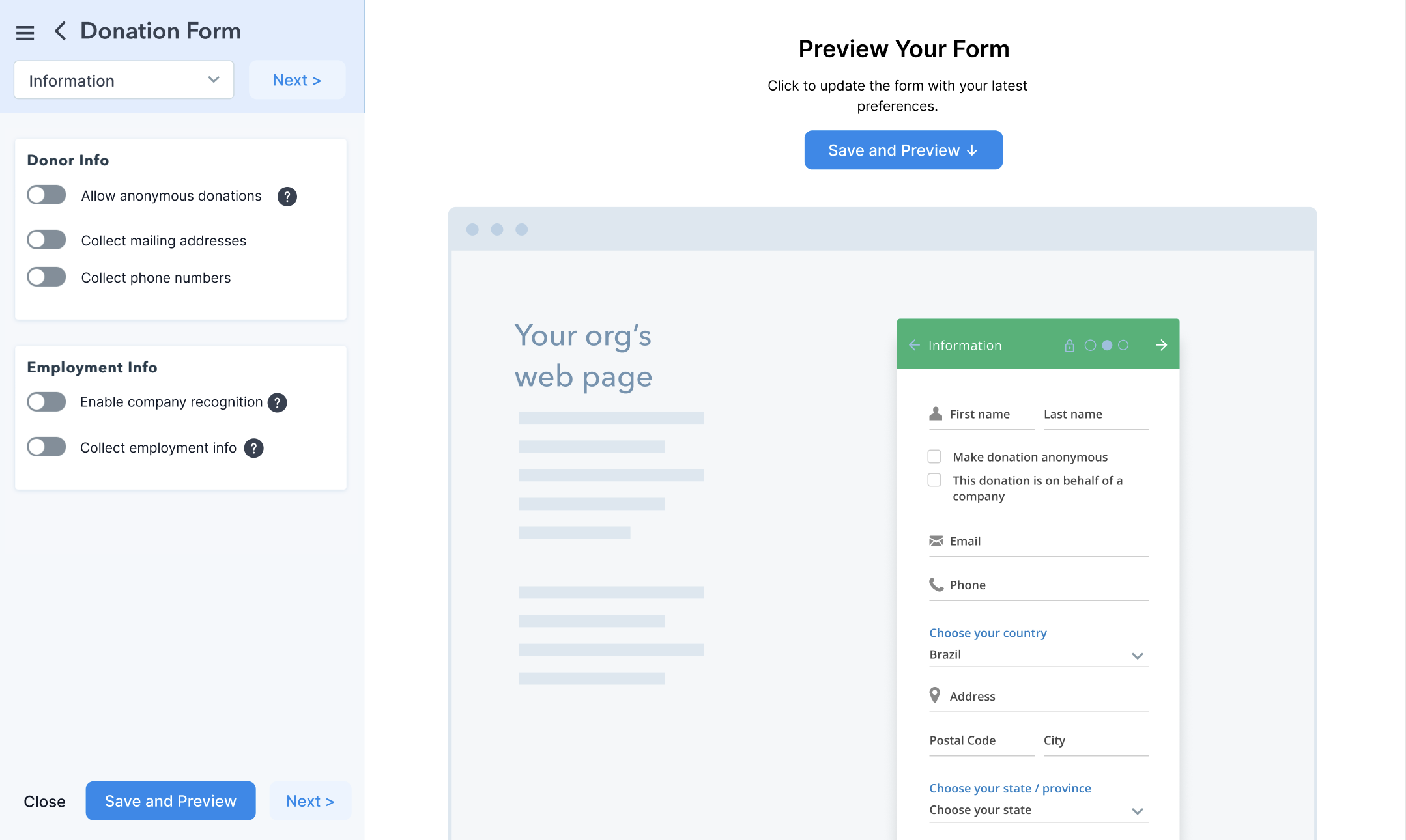
Collaborating with the design team, I directed the creation of wireframes for the new live feedback feature. We ensured the wireframes reflected user needs by integrating real-time updates and improving the overall visual hierarchy.
Interaction Design & IA
Working alongside the design team, I ensured that the information architecture (IA) was optimized. Options were reorganized and categories restructured in a more intuitive manner, making navigation smoother for users.
Prototyping & Testing
I oversaw the development of interactive prototypes, which were then tested internally with stakeholders and selected users. Feedback was continuously gathered to iterate and refine the design.
Cross-Functional Collaboration & Communication
Coordination with Development and QA Teams
I worked closely with the development team, using a project management tool to manage sprints and ensure that the implementation of the live feedback feature was feasible within technical constraints. QA teams were engaged early to identify potential bugs and edge cases that needed to be addressed during development.
Collaboration with Product Management and Stakeholders
I maintained ongoing communication with product leadership to ensure that the updated tool met both business objectives and user expectations. Regular check-ins with stakeholders ensured progress aligned with company goals, and their feedback was incorporated into design iterations.
New Product Solution
User Testing & Iteration
User Testing
Internal teams were involved in the initial testing phases to validate the redesign. We also conducted live user testing to gather real-time feedback from users, ensuring that the updated features addressed key pain points.
Iteration
Based on user testing results, I oversaw the iteration process, making adjustments to the UI and interaction flows. Changes to the information architecture were made to improve clarity and enhance the overall user experience.
Live Testing & Behavioral Review
After the feature was deployed, we monitored user behavior with analytics and behavioral tools. This confirmed that the live feedback capability significantly improved the experience by reducing confusion and streamlining task completion.
Outcome / Impact Metrics
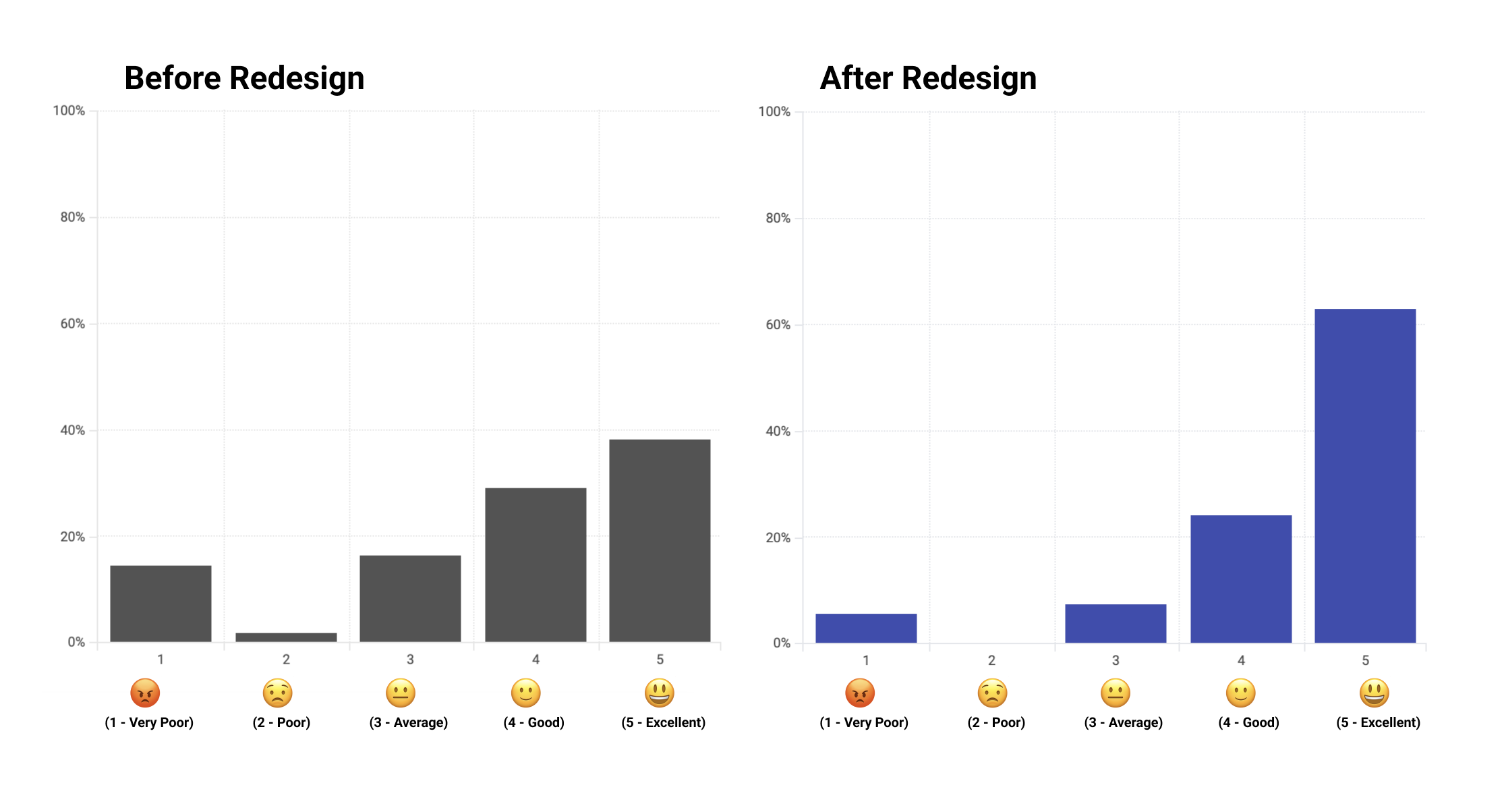
- Customer Satisfaction: A post-release survey showed a noticeable increase in satisfaction with the updated editor tool.
- Task Completion: Completion rates improved, indicating that real-time feedback and reorganized options made the workflow easier for first-time users.
- Reduction in User Confusion: The live feedback feature reduced uncertainty, especially around visual adjustments and configuration steps.
These example (not real but only as an reference) metrics highlighted the success of the live preview feature and demonstrated how incremental product improvements can have an outsized impact on overall user satisfaction and engagement.
Key Learnings
This project demonstrated the value of data-driven decision-making and user-centered design in driving product enhancements. By focusing on incremental improvements, we were able to deliver impactful results without disrupting the experience for long-term users. Effective cross-functional collaboration and continuous feedback loops were crucial in ensuring the success of the project.
My Contribution
- Led comprehensive research efforts, including user research, competitor analysis, and feedback gathering.
- Managed the product development process, including defining user flows and coordinating with design teams.
- Used a project management tool to manage timelines, sprints, and task assignments across teams.
- Facilitated cross-functional communication between development, QA, and stakeholder groups.
- Directed live testing and oversaw post-launch performance metrics using behavioral analytics and user insights tools to ensure continuous improvement.